20070627

Pointers for the win

In my last post I used quite a bit of pointer magic to implement a linked list.

If you are not familiar with what pointers are you will have had a hard time understanding the implementation. Let's do something about this, shall we?


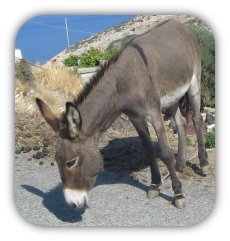
image by david ian

Why not use variables only?


A pointer is a way to refer to some data without having to copy it.

That alone may not seem worth the trouble, but there are some (or rather very many) occasions when it is easier to point at the same variable from other places of your code than it is to keep two values in sync.

It may help you at first to think about pointers as meta-variables, a variable you can asign other variables to.


So why did I use them for the linked lists?


Let's go back to linked lists for a moment:

A linked list is comprised of several list elements.

There are two aspects of linked lists, which would make them very hard to implement without pointers:


  1. The first element is not the list, but when you refer to the list, you need to refer to the first element, which in turn lets you iterate through the rest.

  2. Elements don't contain each other, rather they point the user at the next element in line.


Have I seen pointers before?


Chances are you have used pointers before without realizing it. For example, in C arrays are simply pointers, which are automatically dereferenced when you refer to an element inside the array.


Another area you will have come across are strings. You may have learned that a string in C has the type char* or something. Actually, all char* means is a pointer to a character. The string handling functions are smart enough to search the memory at the position the pointer points to for more characters. To mark the end of a string, C uses the zero-termination, ie the last character of a string is always a '\0'.

If you are just starting out ignore this implementation detail. But remember you can impress your friends by dropping that pointers are old hat and that you use them every day.


What is the syntax?


Certainly by now - with all these exciting opportunities stretching out before you - you can't bear the suspence any longer and want to know how you can use this amazing power at your finger tips:

To create a pointer, you do exactly the same as you would when declaring a variable. Except you prefix the name with an asterisk *:

    int *pointer;


And to point to another variable you assign the variable to the pointer, except you prefix its name with an ampersand &:

    int value = 42;
pointer = &value;


And that's pretty much all there is to basic usage of pointers already. Maybe you'd also like to know what the variable you are pointing at contains? Get that by prefixing the pointer with an asterisk * again. Note that this time we are not declaring the pointer, although the prefix is the same:

    printf("the value of the pointer is %d\n", *pointer);


Example


Maybe you have noticed that when you assign to a variable from inside a function its value is not changed when your function returns. This happens by design so the rest of the program is shielded from changes by one function.

But what do you do, when you want to change a variable inside a function which calls another?

Well, you could make the variable public of course, but that would allow every other function to change its value as well. The answer is - you guessed it - use a pointer!

A pointer is really just the address of a variable in memory (you can see this address when you do a printf("the address of pointer is 0x%x\n", pointer);. Of course you very rarely want to know this address!). So you can pass a pointer and write to the address in memory where it actually lies. This happens to be inside the space of the calling function, which is why changes to the value of the pointer affect the value of the variable inside the calling function.

That's a mouthful, so let me illustrate with an example:

#include <stdio.h>

void set_to_five(int *variable)
{
printf("changing value from %d to 5\n", *variable);
*variable = 5;
}

int main(int argc, char *argv[])
{
int myvar = 3;
printf("myvar = %d\n", myvar);
set_to_five(&myvar);
printf("myvar = %d\n", myvar);

return 0;
}


Yeah, this may seem confusing at first, because of all the * and & and the other *. Make yourself clear what happens in the above example and you have understood pointers.

Good luck and have fun!

20070202

linked lists

What does this statement mean?
current = current->next;


It means that you have a structure named current, which has an attribute called next, which is of the same type as current itself. The programmer instructs the machine to use next in place of current from here on.
Typically this statement is used to realize linked lists. These work like this: The programmer creates a couple of these structs and gives each the data we actually care about and information about the next element in line.
For example, consider a list of people: John, Frank, Alice, Jennifer. In order to find all four of these, it is sufficient to remember that John was the first one in our list and to tell John to remember Frank, Frank to remember Alice and Alice to remember Jennifer. Now if we want to list the age of all four of them it is enough to call up John, ask him how old he is and who was the next in line and repeat this until Jennifer tells us that there was no one next.

To realize this example as a program, we first need a data structure, which can hold our friends and a link to the next in line. (For simplicity we will only save the name of each in the data structure, more information would be trivial to add):
struct friendList {
char *name;
struct friendList *next;
};


To iterate through them the following will work:
struct friendList *current = john;
while(current != NULL)
{
printf("%s\n", current->name);
current = current->next;
}


Here is the example in full:

#include <stdio.h>
#include <stdlib.h>

struct friendList {
char *name;
struct friendList *next;
};


int main(int argc, char *argv[])
{
struct friendList friends[10];

struct friendList *current = (struct friendList *)NULL;

//link each friend to next one
int i = 0;
for(i = 0; i < 3; i++)
{
friends[i].next = &friends[i+1];
}
friends[3].next = NULL;

//assign values to friends we know
friends[0].name = "John";
friends[1].name = "Frank";
friends[2].name = "Alice";
friends[3].name = "Jennifer";

//lets see how easy iterating through this list really is
printf("My friends are:\n");
current = friends; //point to first element
while(current != NULL)
{
printf("%s\n", current->name);
current = current->next; //remember this one?
}

return EXIT_SUCCESS;
}


Linked lists become much more useful when you make them doubly-linked-lists by specifying a previous as well as a next member of each element. This allows you to iterate through the list in both directions and from any point.
In real life link lists are usually used to make it possible to sort them or to add elements to the list at any place, which you cannot easily do with simpler data structures like arrays.

For example, to add your new friend Sarah to the list right behind John, you could do the following:
  current = friends;
struct friendList sarah;
sarah.name = "Sarah";
sarah.next = current->next;
current->next = &sarah;


As an exercise try adding the snippet above to the program and let the same while-loop run again. You will see that without any changes to the loop the output shows Sarah has joined the list and is at the correct position.

20060713

Fixing what AOL broke (fixing ICQ logon in Kubuntu Dapper)

Recently (around the July 13) AOL made some changes the software running the ICQ servers, making it impossible for users of old and alternative clients to log into (and therefore use) ICQ.


KopeteIf you are running Kopete, a fix for this problem is already in SVN (where Kopete is developed). Unfortunatelly there is no new version of Kopete and Kubuntu has not (yet?) distributed updated packages either.

There is an unofficial package by djclue917 up on kde-apps.org.


To fix your setup (and update your version of Kopete as an added benefit), follow these steps:
1) Download the packages kopete_3.5.3+kopete0.12.0-0.4_i386.deb and libortp_0.7.1-0_i386.deb from kde-apps.org to your Desktop.
2) Open a Konsole window (where you can type commands). Don't panic, it's not hard!
Hit alt-f2, type "konsole" in the window that appears and hit enter.
3) In the window that appears type the following series of commands (written in bold italics):
a) cd Desktop (change to your Desktop directory, where you downloaded the package to)
b) sudo dpkg -i libortp* (tell Kubuntu to install the package Kopete needs to be installed)
c) sudo dpkg -i kopete* (tell Kubuntu to install a new version of Kopete)
4) Done! You can close Konsole now if everything went according to plan. If there was a problem, rest assured, it is very unlikely that his broke anything.


jabber.orgRemember: Get yourself an account with jabber.org. Jabber is a free instant messaging protocol (and much more), which guarantees that you won't have to put up with the bullshit of arrogant companies again!

20060710

irrepressible.info

irrepressible.info is a campaign by the British section of ai:

Amnesty International, with the support of The Observer, is launching a campaign to show that online or offline the human voice and human rights are impossible to repress.


Help spread the word!

20060323

Update

I wonder how many people will notice that this blog is about six months late. Oh well.


Greece was great. We actually ended up doing quite a bit of travelling. Here are a few impressions from the trip:


First stop was Naxos, where we stayed the longest while Daniel's mother and grandmother were there.
Naxos is a very nice island, which is very much stamped by tourism. We had a good time there, lying at the beach, driving around the rather large island for a day and generally doing all kinds of vacation stuff.


After Naxos we went to Mykonos. Forget what I said about Naxos being stamped by tourism. That's nothing compared to Mykonos. Don't get me wrong though: There is a reason everyone and his parrot want to go to Mykonos: Its a small and very greek island and it is close to Delos, where we went next.


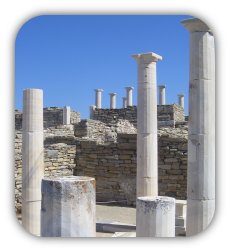
Delos is a mess! Wasn't always like that though: In the good old times it used to be an Apollon sanctuary with a very striving city around it. It's still in very good shape for having been destroyed and then lying there for many centuries, which is why so many people go there, I guess. Impressive place.


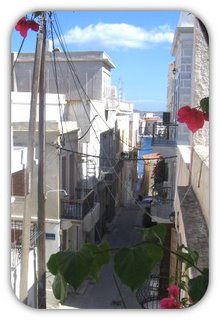
The next day we departed for Syros. This place was quite different from the other islands we visited. It is much less focused on tourism and not as expensive as Mykonos. Unfortunatelly we could only stay there for less than two full days, but I enjoyed being there a lot.
The time we spent there was not the most exciting (we went to a very quiet beach), but it was a great place for getting a feeling of having been on vacation. A good last stop for our trip.

20050827

Holidays in Greece

I am going to Greece!!! Yeeha :)


This morning Daniel and I booked our flights. We are leaving on the 14th and are going to stay there until the 23rd. It's going to be lots of fun. I hope to travel a lot inside Greece as well (so I can say I have been there). Adventure here we come.


Well, I hope everyone else is having a good time as well. I know I will.


P.S.: I completely forgot I chose this complete nerd-title for my blog. Need to grow up some time :)

20040512

So this is it, huh?

Hi everyone,
I have just opened this blog, because I have found it a really cool idea. In fact, I see myself participating in more and more online communities.
I am not quite sure, if this is a good thing? On the one hand, of course, it lets me socialize with people who have similar interests as I.
I guess and hope, time will tell. Anyways, this is certainly a good way of making public the stuff I want people to see. Pretty soon I will even know what that could be :)
Anyways, this is it!

Stay tuned for what I am going to do with this great tool,
- drowstar